Registration of customer order/quote
Here it is described how you register orders/quotes with an invoicing plan in the Register customer order procedure.
The Header tab
Here you can enter if the order/quote should be invoiced according to an invoicing plan. This is done in the Invoicing plan field.
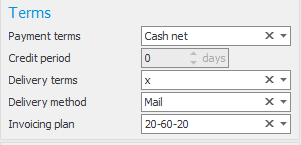
Invoicing plan can also automatically be activated for use via a setting on the customer. This is configured in the Customer register or Customer list procedures.
If you want to follow-up on the order via the project accounting, you can enter a project number in the order header. The project number will then automatically be used on order rows which can be posted on project and on the partial invoices which handle project posting under the Invoicing plan tab. Please note! If you change the project on the order rows, then the advance and in arrears rows' posting will not become automatically updated. These must be changed manually.
The Rows tab
You register the customer order rows/quote rows as usual here. That is, you don't add any rows for advances and in arrears here. However, there is an important checkbox on each row. You use this to decide which rows should be included in the invoicing plan. This is done via the column Included in invoicing plan.

Rows which are note included in the in invoicing plan can be delivered and invoiced as usual, separate from the invoicing plan. For example, if you have added an additional product to be delivered or a freight cost, etc.
The Invoicing plan tab
Under this tab you see the invoicing plan of the order/quote.
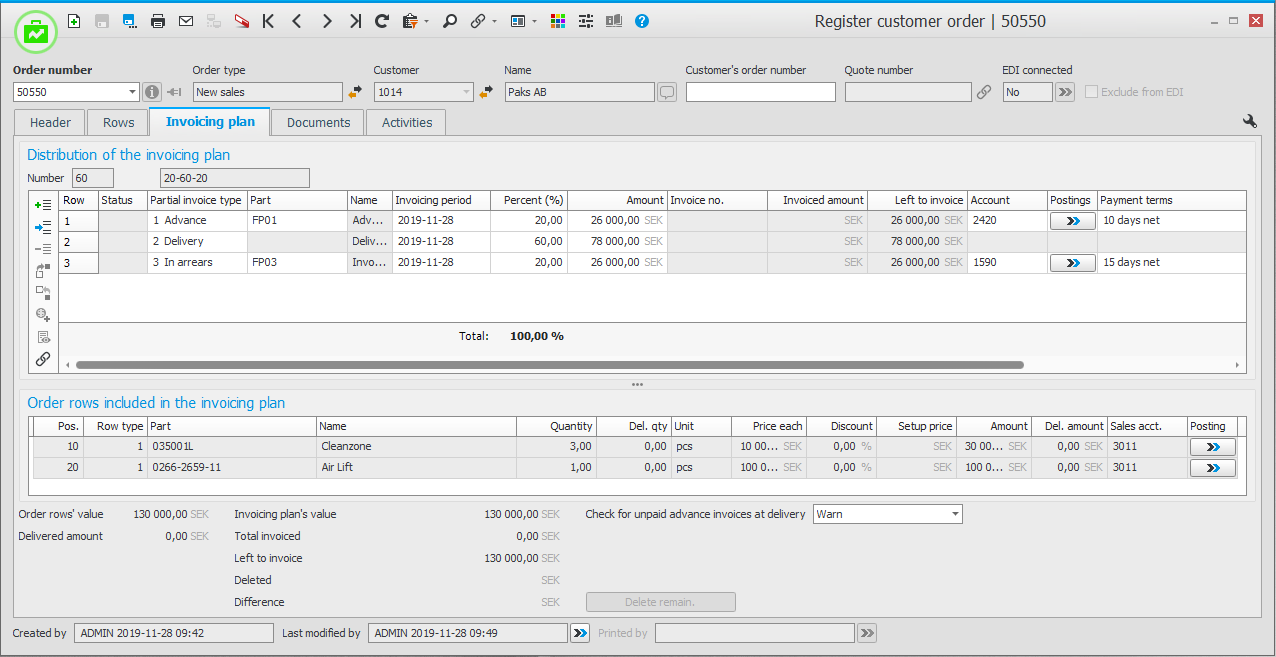
In the upper box you see the different partial invoice rows, which are loaded from the invoicing plan template registered in the Invoicing plans procedure. It is possible to edit/delete/add rows. It is also possible to change name on advance invoice and in arrears invoice. For each partial invoice, you should enter a planned invoicing date. This is called the Invoicing period. This is used if you later on in the Invoicing plan list, want to make a selection regarding what should be invoiced.
In the lower box you see information about the order rows which are included in the invoicing plan.
At the very bottom of the tab you see different types of totals, according to the image above. Here you also have the opportunity to determine how delivery should be possible to perform for the order in question. This is done via the field Check for unpaid advance invoices at delivery. For example, you can block for delivery if the advance invoice has not been fully paid. This block exists both in the Delivery planning and in the Report delivery procedures.
The Documents tab
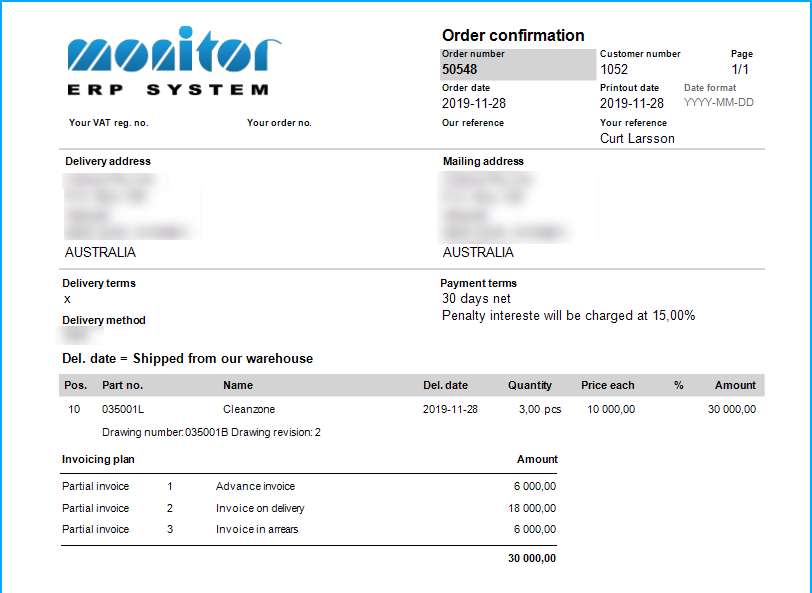
When printing order confirmation, it is possible to show information about the invoicing plan. This information is displayed below the order rows. In the procedure Document settings you can choose if the information should be displayed or not.