Phases, activities, and costs
Predefined phases or activities and costs for a case type are by default loaded to a new case. The default phases, activities, and costs configured per case type can be changed in connection with the registration of a new case. If a lead time has been entered for the activities in the basic data you will also receive a planned "throughput time" for the case. You can then go to the Header and Costs tabs to change, add, or delete phases/activities and costs for the case in question. All information items for the activities can be updated. For each activity, you can indicate a date when it should be finished and who is responsible for it.
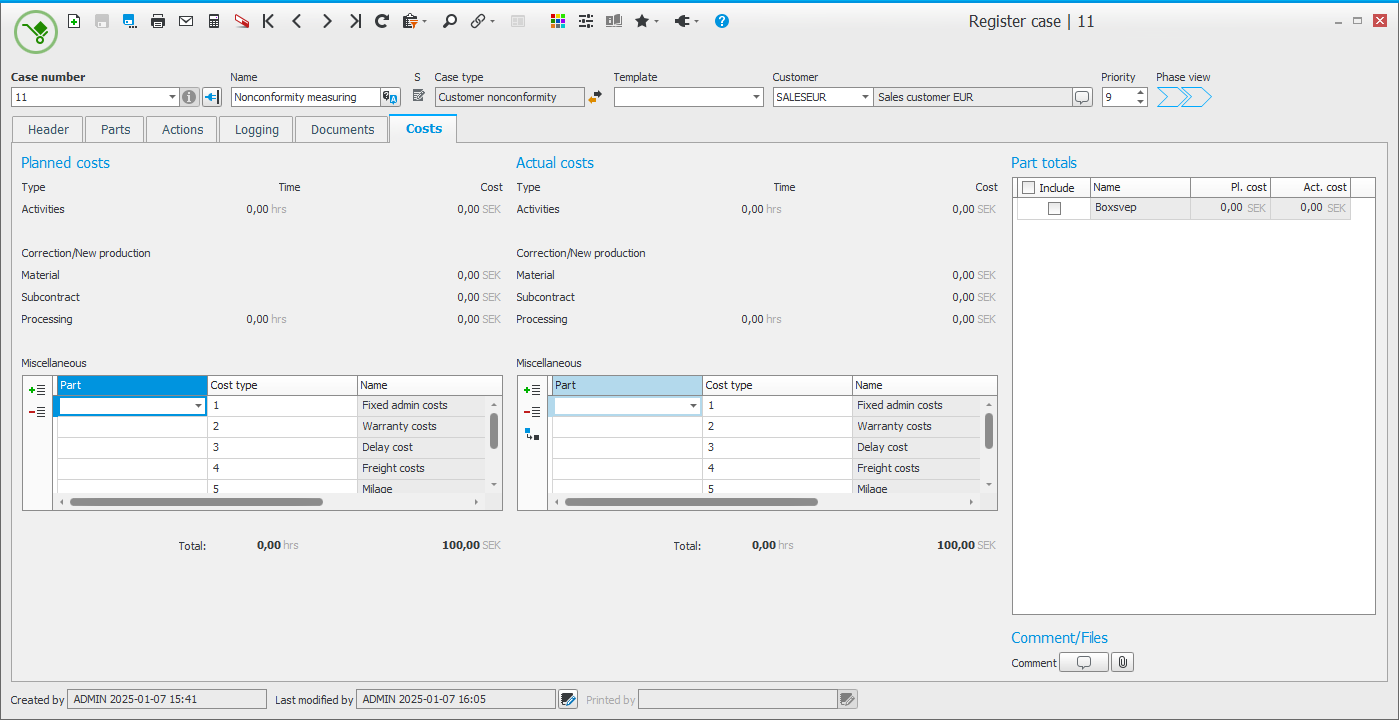
You can also easily add costs of re-working or re-manufacturing for a particular case. The material, subcontracting or processing costs can be loaded from reported operations or entire manufacturing orders.

All information items regarding other costs (costs which are not linked to activities or are loaded from a linked manufacturing order) can be updated under the Costs tab. It is possible to add or delete rows. You can select if the cost should be charged (regarding supplier nonconformity) and this means that the registered cost will not be seen as a cost of poor quality in your analyses.