Basic data for calibration and maintenance
Maintenance plan
Maintenance plans are used to link one or more tools (via the part number) to one or more maintenance templates.
- A maintenance template represents a specific type of maintenance or calibration.
- The maintenance template contains settings regarding how the maintenance should be performed and which form should be used.
-
In the form you see which instructions, checklists, and measurements should be used. The default settings in the maintenance template can be overridden in the maintenance plans. This means that you do not have to register a unique maintenance template for each setting.
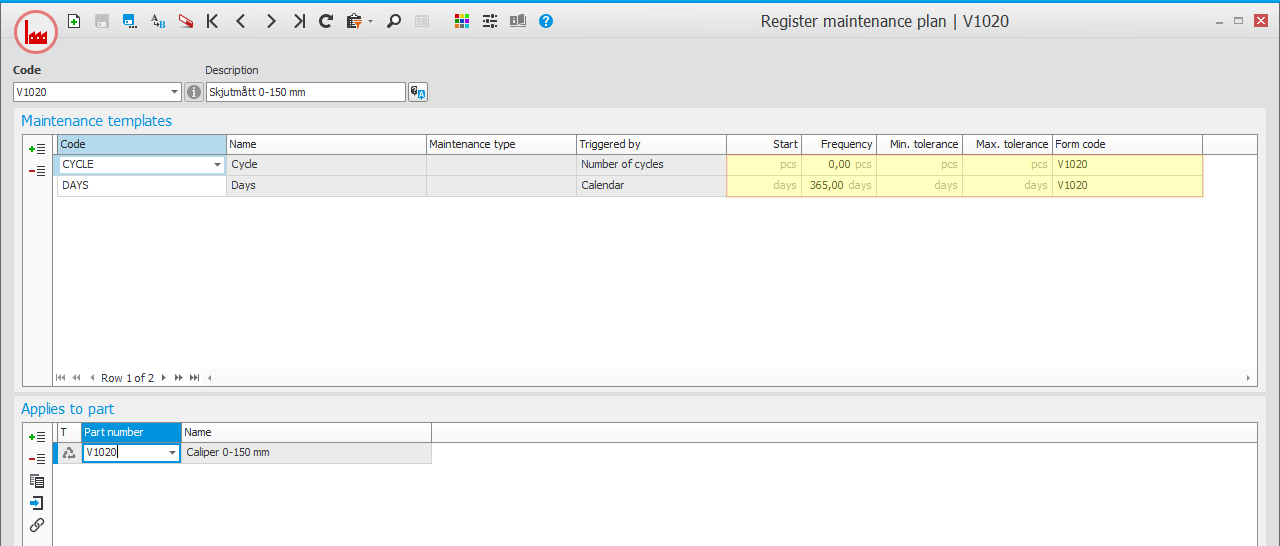
Tip! One tool can be included in multiple maintenance plans. Sometimes it is convenient to create a general plan with maintenance templates that are common for many tools.
Maintenance templates
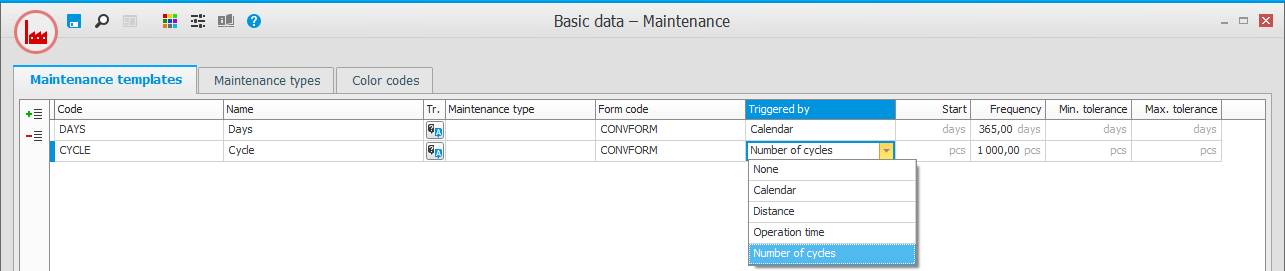
You register maintenance templates in the Basic data With "basic data" we refer to the static records in a database, for example parts, customers, users, work centers, etc. – Maintenance procedure. In the templates, you see which types of maintenance and calibration should be handled. You link a default form for the reporting to the template. You also enter what you want to be the trigger of the maintenance and configure default settings for the interval. You can choose manual handling for the maintenance (no trigger), maintenance with a specific number of days between each occasion (triggered by Calendar), maintenance with control against one of the counters for the tools (triggered by Number of cycles, Operation time, or Distance). You can also link a maintenance type to the template, if this should be applied (see below).
Tip! A simple maintenance template with an empty form that you, for example, name "LOG" can be used to write different notes that should be saved for the tool.
Forms
The form combines an instruction and a checklist to report for the maintenance/calibration.
A form is required to be able to report a maintenance. You register the forms in the Form templates procedure.
In the form header you can print a general instruction, and link files.
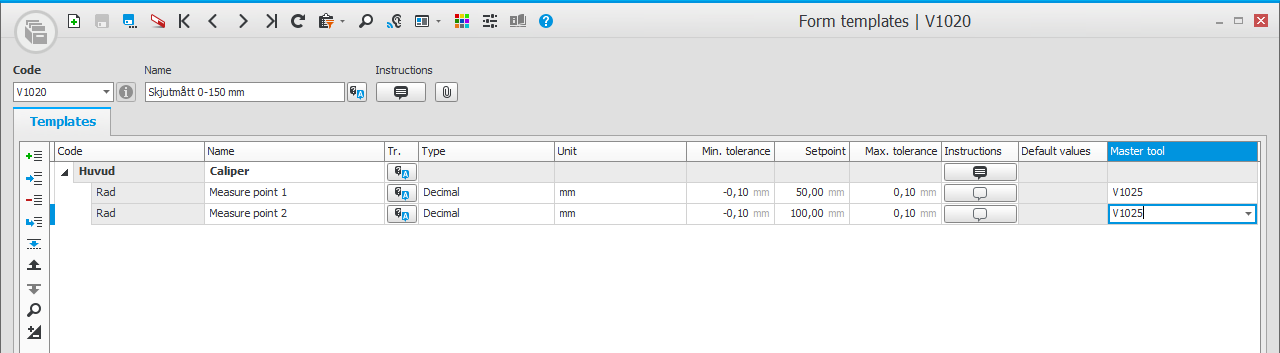
The form can then be divided into different sections with heading rows and underlying rows. You can enter instructions on each row. The underlying rows can be of the type Decimal, Text, CheckBox, or Date. For the type Decimal, you can enter unit, setpoint, minimum tolerance, maximum tolerance, and master tool (the tool that should be used during the measurement).
Tip! Register an empty form that you can use when there is no need for specific instructions or calibration points. Even though the form has no rows, you can always enter a comment in the form when the maintenance is reported.
Maintenance types
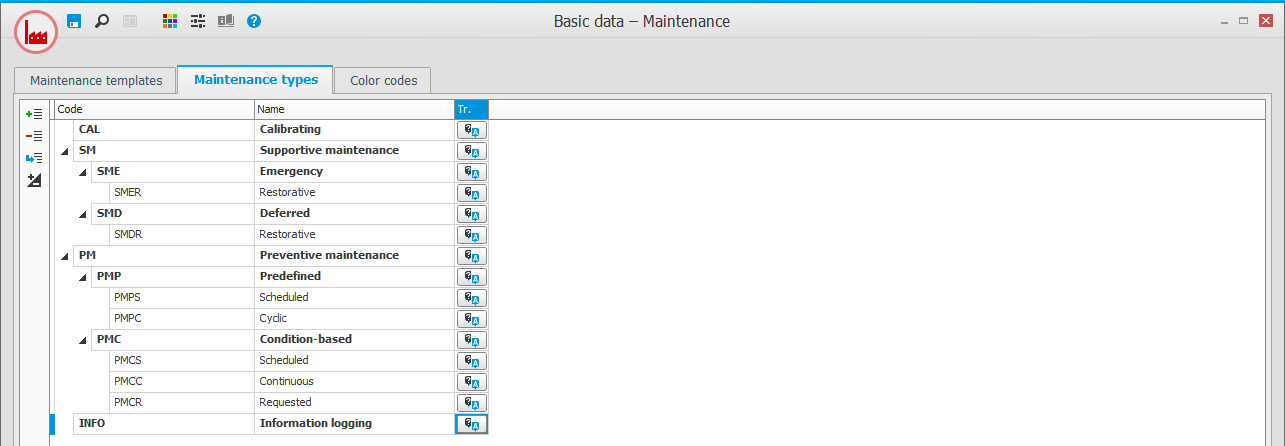
It is not mandatory to use maintenance types. However, this is a good way to create structures and do follow-ups. You register and link maintenance types to the maintenance templates in the Basic data – Maintenance procedure. You can create maintenance types in several levels, for example according to SS-EN 13306.
Color codes
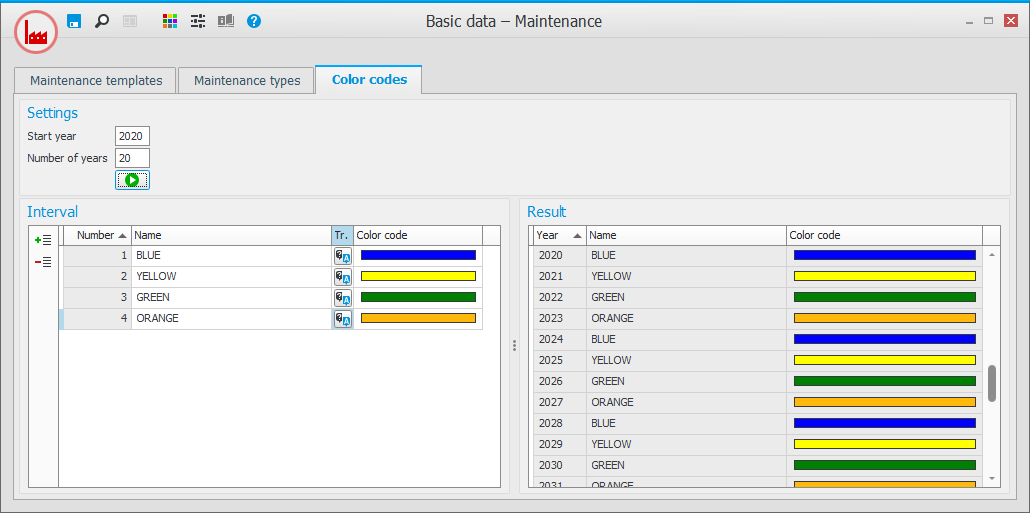
Color codes according to European standard used for calibration of measuring tools are included in the system. However, these color codes can be modified if you want to use another standard. The color codes are displayed in the procedures Planned maintenance and Report maintenance.
Order type for maintenance
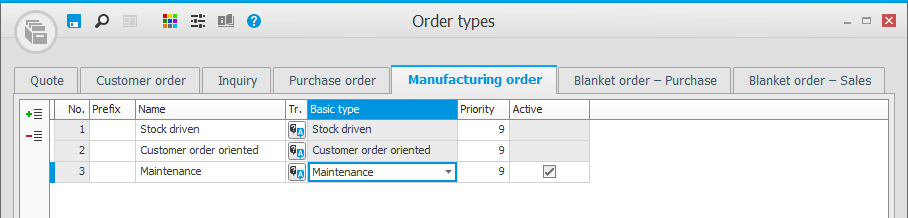
Under the Manufacturing order tab in the Order types procedure, you can register a separate order type for the new basic type Maintenance, which is intended for maintenance orders. You can configure settings regarding Prefix and Priority for the order type.
Tip! By using different order types, for example, for planned and urgent maintenance, Post-calculation can be followed up more easily.