Preparations
In this section it is described which preparations and settings you need to attend to before starting to use Monitor Factoring.
Onboarding
Settings for export/import
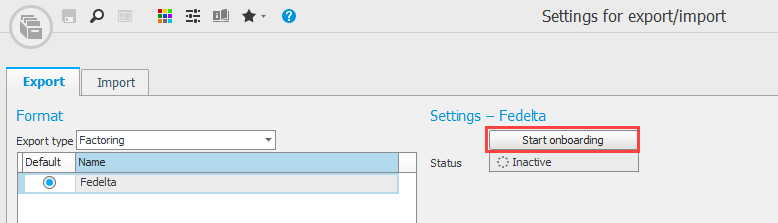
Before you can start using this function you have to perform an onboarding. This is done by sending an application to Fedelta. Start the onboarding via the Start onboarding button in the Settings for export/import procedure:
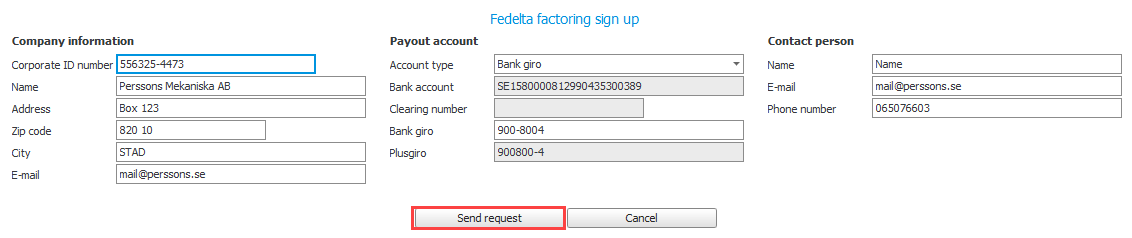
Make sure that company information, payout account, and contact information are all correct. The payout account is the giro account or bank account which Fedelta will use in connection with payments made to your company. Under Contact person you enter information for the person in the your company whom Fedelta should contact if necessary.
Use the button called Send request when you are done and have checked that the information is correct. An application for invoice purchase will now be sent to Fedelta for processing.
The status will then change to Awaiting approval. An administrator from Fedelta will shortly get in touch with your company if any additional information is needed.
When the onboarding is completed, a notification will appear in Monitor ERP for the user who sent the application.

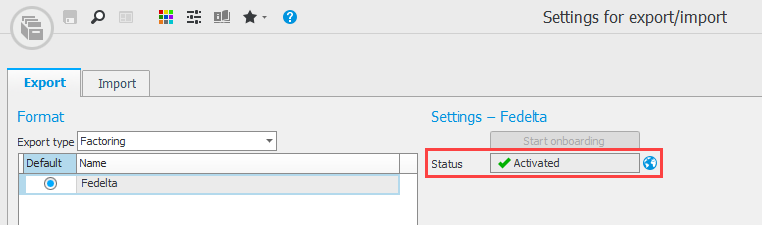
When the onboarding is completed, the status will also change to Activated:
Settings
The following settings need to be configured in Monitor ERP before the function can be used:
Bank settings
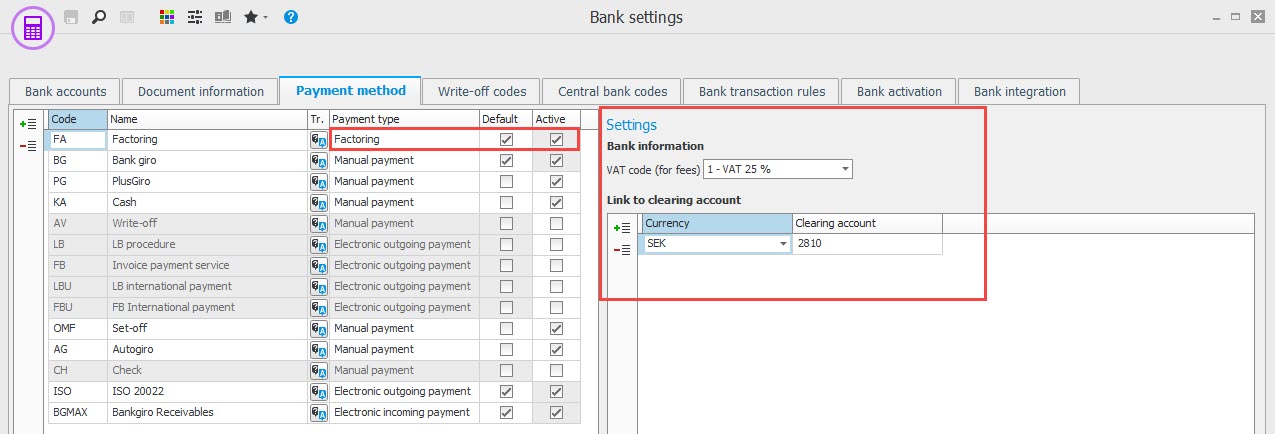
Under the Payment method tab you need to register a payment method for factoring.
This is done by adding a new payment method and selecting the payment type Factoring. Under Settings you enter the VAT code that should be used for input VAT when fees are charged by Fedelta. In the Link to clearing account box you enter which clearing account for factoring should be used. Please note! Today the function only supports the SEK currency.
Clearing account is a separate bank account where client funds from/to Fedelta are recorded.
Under the Bank transaction rules tab, you have to create a rule for incoming payments which take place to the regular bank account from the client funds account at Fedelta. This bank transaction rule is used for incoming payaments received from the bank via ISO files or via Bank integration.
In the Reference column, you should enter PO.% and in the Account column you enter the clearing account for factoring.

Standard accounts
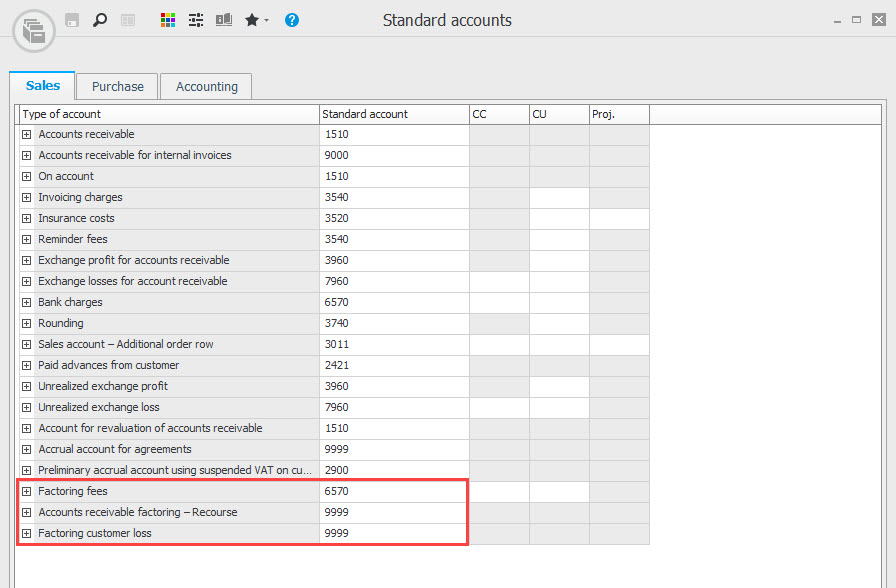
In the Standard accounts procedure you fill out the bookkeeping accounts that should be used for transactions made with Fedelta.
The affected standard accounts that should be entered can be see in the Sales tab:
-
Factoring fees – This standard account is used for factoring fees that are debited from Fedelta.
-
Accounts receivable factoring – Recourse – This standard account is used when the invoice that has been sold to Fedelta is bought back/recourse.
-
Factoring – Bad debt loss – If the invoice is written off as a bad debt loss, this cost account is used.
System settings
To be able to manage factoring transactions, all payments must be handled via a common procedure/journal. You therefore need to activate the system setting called Register incoming and outgoing payments in the same procedure/journal.
Please note! You need to restart Monitor ERP after you have activated the system setting for the change to take effect.
Voucher number series/Journals
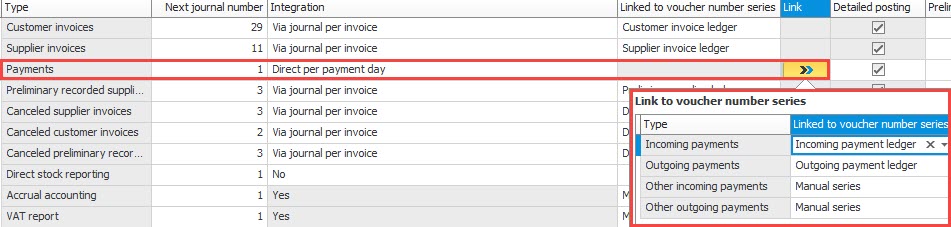
Make sure that the Payments journal is correctly configured regarding integration and voucher number series. In the Link column, you can connect different voucher number series to different types of payments.