Reporting
Reporting can be performed at different levels of detail: from entire order, to operation, and material. It is usual that reporting is performed directly after each operation, when the operator hands in an operation card containing the reported time and quantity. But in general the operator performs his/her own reporting.
When an order has been finished and there is nothing left to report on it, then it should be completed with a final reporting.
- Report manufacturing order – here you report operations in a list for the entire order structure. An alternative is to perform a detailed operation reporting based on report number, in the same way as in the procedure Report operation. You can switch between by operation list and the detailed operation reporting by selecting a main part or an operation in the structure map. Linked materials are also reported. It is also possible to add operations and material to an order. When you have saved the reporting it is possible to print a transport label for the manufacturing in progress, or a transport label for transfer to stock, if you have reported the final/last operation. If required, you can print a transport label for any rejections or a transport label for a subcontract shipment.
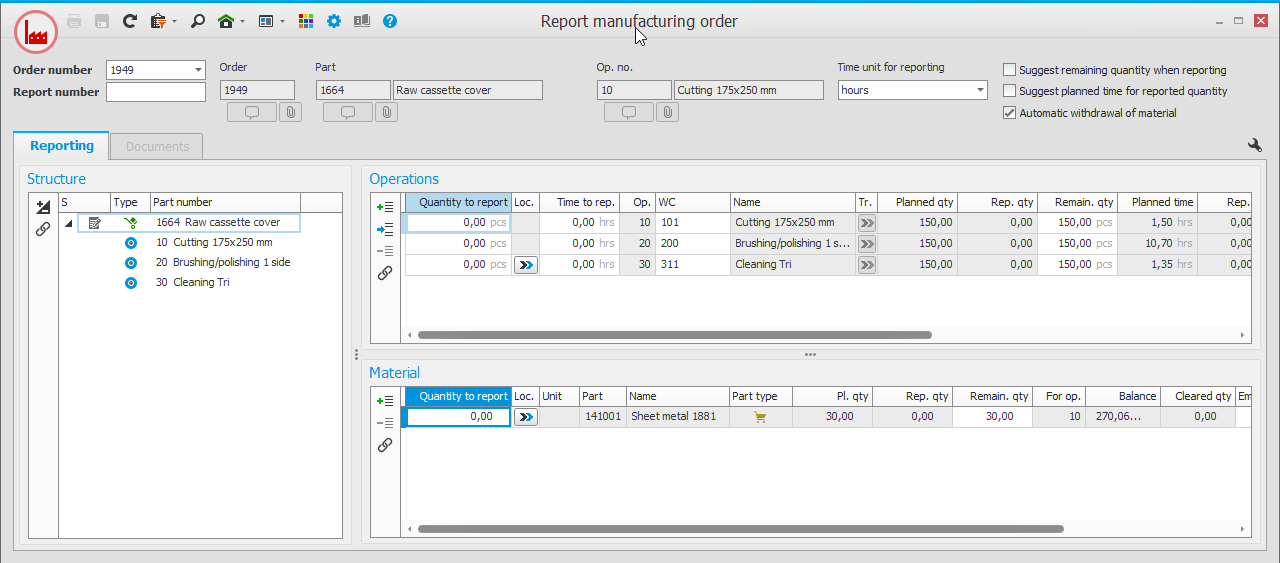
- Report operation – using a report number you report the quantity and time for the performed operation. You can also enter rejection, location, goods location, etc. Automatic material reporting is commonly used. When you save a reporting item it is possible to print a transport label just as in the procedure above.
- Report material – If automatic material withdrawal is not used, it can be done manually using this procedure.
- Print transport label – Manufacturing – This procedure is only used if transport label has not been printed in the procedures Report manufacturing order or Report operation. Example of a transport label:
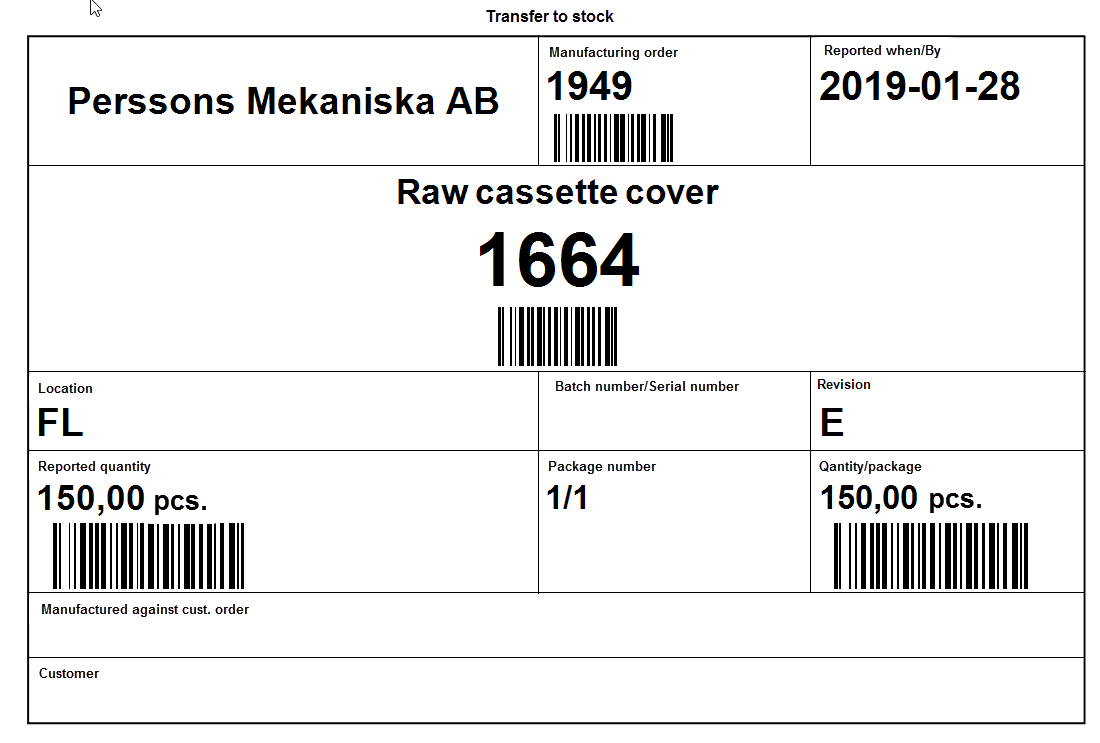
In this procedure you can print the following types of transport labels:- In progress, manufacturing order – This is used for labeling of goods between operations.
- Transfer to stock – This is used for labeling of goods after the final operation, which will be transferred to the stock.
- Shipped subcontract – This is used for labeling goods prior to shipping it to a subcontractor.
- Rejections – This is used for labeling rejected goods.
- Final reporting – When an order is finished and possible post-calculated, it is given status 6 (Delivered) or status 9 (Historical) in this procedure. A warning will appear if the entire order has not yet been final reported.
Other procedures related to reporting:
- Report pick list – Here you can report material withdrawal on manufacturing orders for the material for which you in an earlier stage have printed a pick list.
- Report traceable material – This procedure is used to report withdrawals of traceable material. The difference in this procedure compared to the Report material procedure is that here the reporting focuses on batch/serial number.
- Quick reporting
 Quick reporting means that the entire manufacturing order becomes reported as finished in one single step, including deletion of remaining quantity, if any. – Here you can final report multiple manufacturing orders at order level after that the orders are started or completed.
 - Undo reporting – In this procedure you can undo a previously made reporting of manufacturing orders. This includes reporting of part nodes in the order structure, operations, material, and rejections. Subcontracts are not handled in this procedure but in the Undo arrival reporting procedure in the Purchase module.