Manual withdrawal and return
To keep track of tools that are not linked to BOM and routing but are withdrawn to different persons, you find functions used for manual withdrawal and return of tools in the procedure Report withdrawal of tools.
Withdrawal of tools
- During withdrawal, you must select an employee number in the field Withdrawn to and an Expected return date.
-
Add a row in the Withdraw box and select the tool in the field called Serial no./Batch
 A batch is the set of components/products manufactured at the same time and made from the same original material. no. (if the tool has serial number) or in the Part number field. Then you save.
-
Save.

Returning tool in Report withdrawal of tools
-
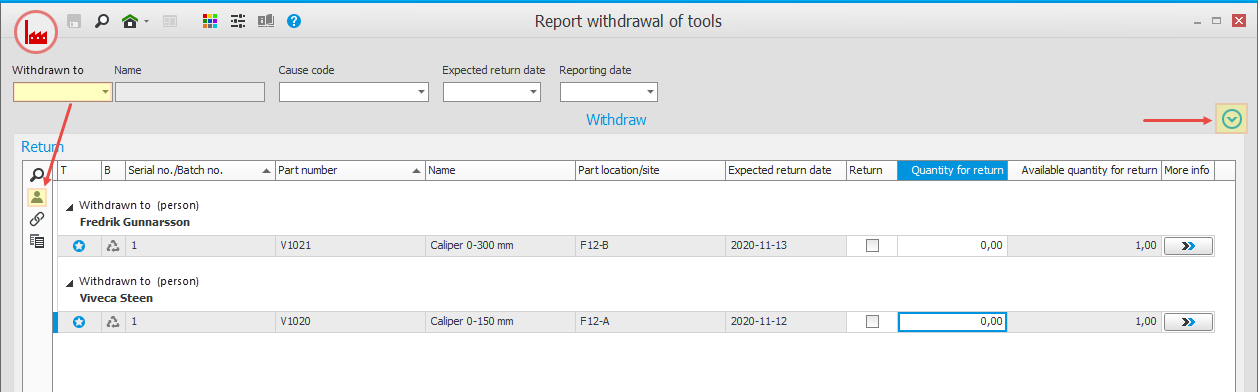
When the tool is returned, you can select an employee number. Then all withdrawn tools for the employee in question will be displayed. The button
 on the function menu will then be activated. If you deactivate the button or if you do not select an employee number, you will see all employees' withdrawn tools. You can minimize the Withdraw box in order to give more space to see withdrawn tools in the list.
-
You return tools by entering the quantity to return and then you save.
Returning tool in Withdrawal list
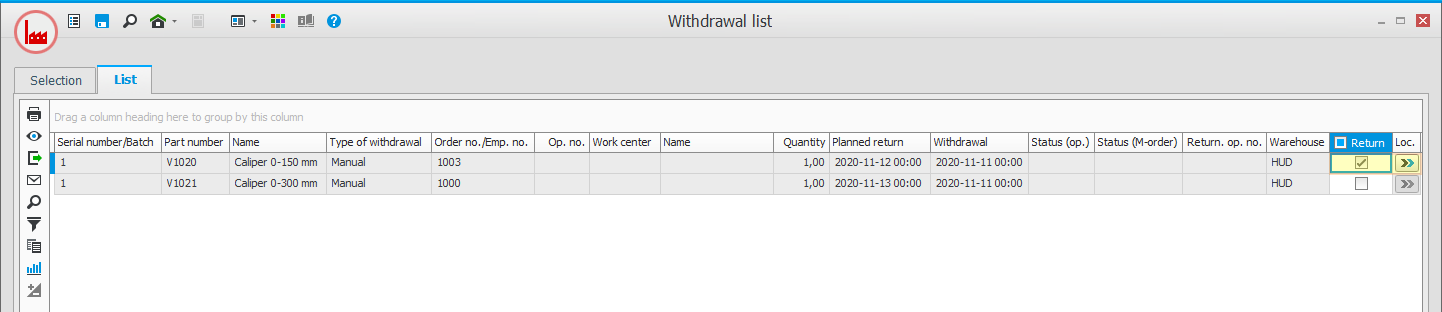
You can also choose to show withdrawn tools and monitor them in the Withdrawal list procedure.
- Report the return by marking the Return box in the list. You can also see and select to which location Loc.
 the return should be performed.
-
When you save, the return will be executed for the tools you have selected to return.